
Advisories
Huntress Introduces Dual Deployment Modes for Microsoft 365 Hardening
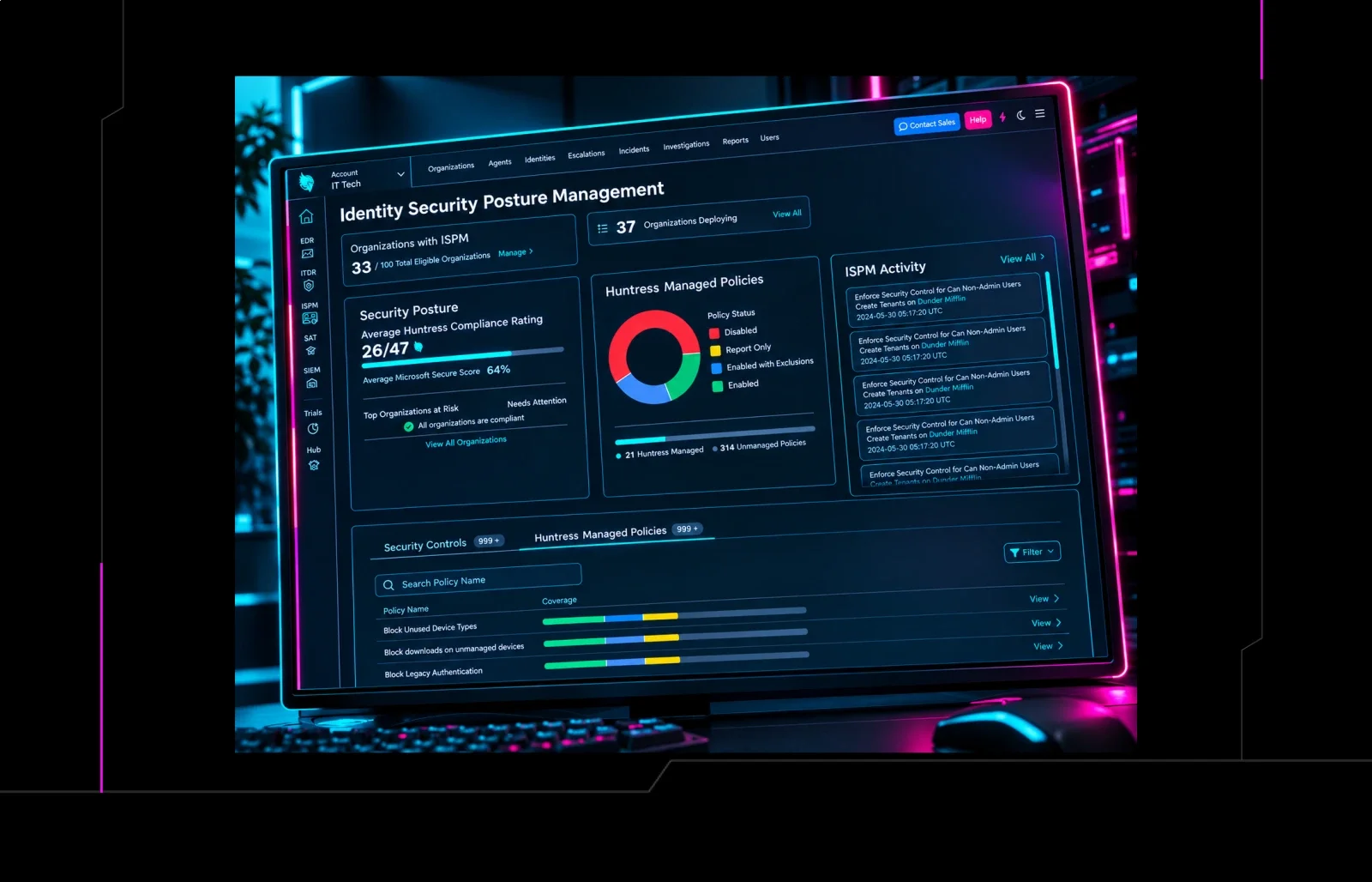
Huntress now offers Managed ISPM with two deployment options: fully automated hardening or granular control over Microsoft 365 settings. Security teams can choose the approach that fits their governance model. This update enables tighter control of identity and email defenses across Microsoft 365.
What Happened
Huntress expanded its Managed ISPM service to include two distinct deployment modes for Microsoft 365. The first mode applies a full set of hardening controls automatically, while the second allows administrators to select specific controls and schedule their rollout.
Impact
Organizations using Microsoft 365 will now have the flexibility to either rely on Huntress experts to enforce a comprehensive hardening baseline or to maintain manual oversight over which settings are applied. The change does not alter existing security posture but adds deployment granularity.
What to Do
- Review your current Microsoft 365 hardening policy and determine if a fully automated or manual approach aligns with your compliance requirements.
- If opting for automated hardening, enable Managed ISPM and let Huntress enforce the default control set.
- For manual control, use the Huntress dashboard to pick individual controls, set rollout schedules, and monitor changes via audit logs.
- Integrate the new deployment mode with your existing SIEM or SOAR to ensure alerts are correlated with control changes.
- Document the chosen deployment strategy and update your incident response playbooks accordingly.
“The dual‑mode approach gives teams the agility to balance speed and governance when hardening Microsoft 365.”
Related articles
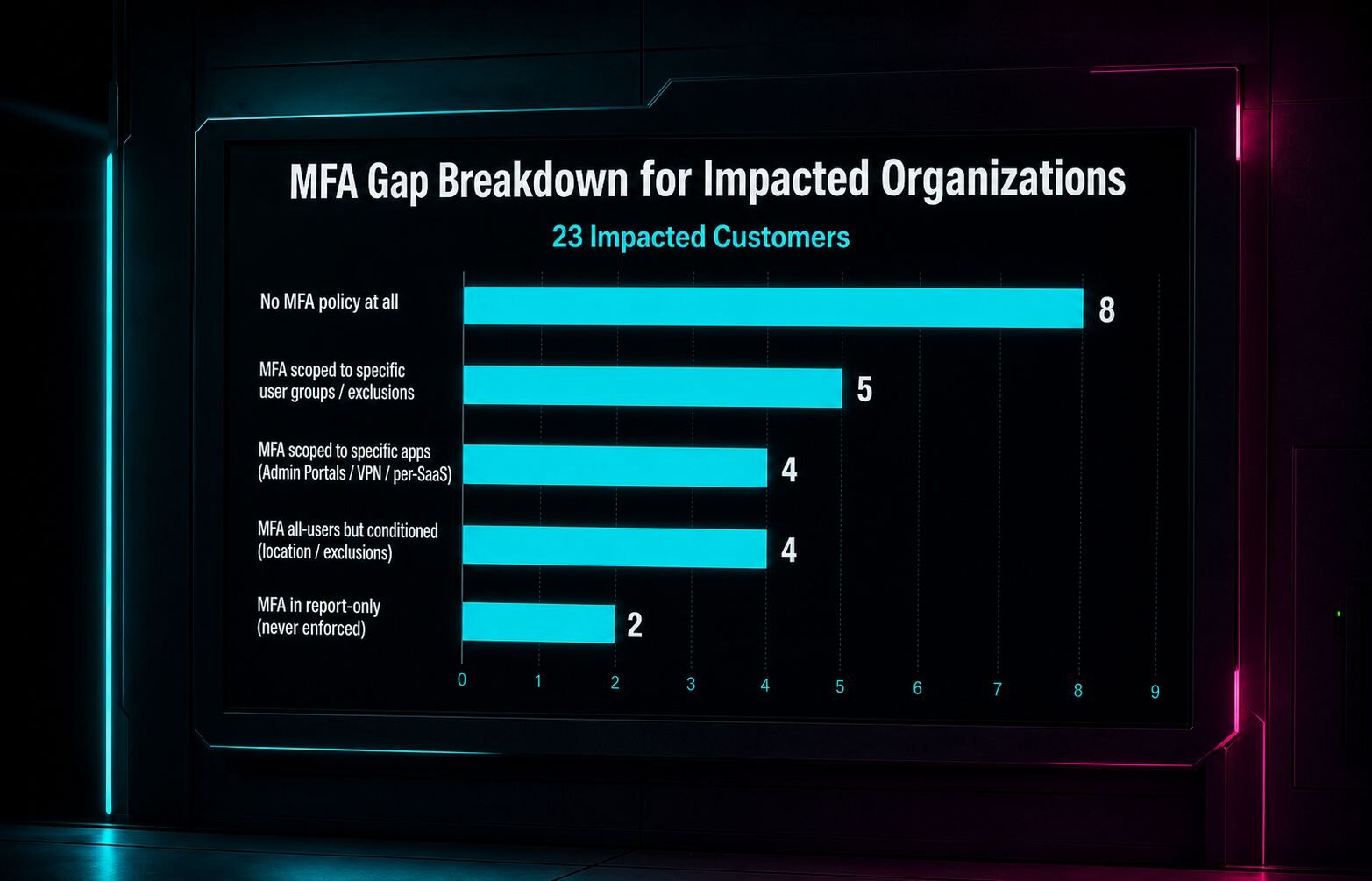
Conditional Access Misconfigurations Let Attackers Bypass MFA in 55 Microsoft 365 Organizations
Two attacks exploited misconfigured Conditional Access policies in Microsoft 365, allowing adversaries to compromise accounts even with MFA enabled. Huntress identified 55 organizations with gaps that could be closed with proper policy enforcement and continuous monitoring. Defenders should audit policies, enforce MFA for all users, and use automated hardening tools to prevent similar breaches.
Read briefing
Microsoft Hardening Changes to ReFS Volumes on Removable Media – Oct 13 2026 Update
Starting with the October 13 2026 Windows update, Microsoft introduces hardening controls to ReFS volumes on removable media. The changes are not enabled by default until 2027, so defenders should verify update status and adjust security controls accordingly.
Read briefing
Check Point Urges Immediate Patch for Dual 9.8‑Score Vulnerabilities
On September 9 2026, Check Point issued emergency updates for its Security Gateway, Security Management Server, and Spark Firewall. Two critical flaws—both rated 9.8 on CVSS—enable unauthenticated remote code execution on devices running Remote Access or Site‑to‑Site VPN. CERT‑EU urges rapid deployment of the hotfixes, focusing first on internet‑facing and perimeter appliances.
Read briefing
Citrix NetScaler ADC & Gateway Hit by Dual CVEs: Out‑of‑Bounds Read & Session Mix‑Up
Citrix has released an advisory for two high‑severity bugs in NetScaler ADC and Gateway. CVE‑2026‑3055 is an out‑of‑bounds read that can leak memory contents when the appliance acts as a SAML Identity Provider. CVE‑2026‑4368 is a race condition that can swap user sessions on Gateway or AAA virtual servers. No confirmed attacks yet, but the flaws demand immediate patching and network hardening.
Read briefing