
Threat Intel
OneNote Embedded File Extraction Tool Enhances Defender Analysis
A new feature in the onedump.py utility enables bulk extraction of embedded files from OneNote .one documents into JSON, streamlining malware analysis. Defenders can now process large volumes of attachments, filter by hash, and write suspicious payloads to disk for further inspection.
What happened
In early November a new capability was added to the onedump.py utility that allows analysts to extract every embedded file from Microsoft OneNote .one documents and output the results as structured JSON. The change was driven by the need to process large batches of attachments without manually running the extractor on each file.
The updated tool accepts a wildcard list of .one files and emits a single JSON stream that contains the filename, SHA‑256 hash, MIME type, and raw content for each embedded object. This output can be piped directly into downstream filters or written to disk for forensic analysis.
Who is affected
Security operations teams that routinely ingest email attachments and cloud‑stored documents are the primary audience. Sysadmins who manage Microsoft Office deployments and defenders who perform incident response on Windows environments will encounter OneNote files in their triage queues.
Because OneNote is a common collaboration tool, any organization that stores or shares notebooks—whether in SharePoint, OneDrive, or local archives—may receive attachments that contain hidden payloads. The new extraction workflow is therefore relevant to any team that needs to validate the integrity of embedded content.
Impact
The JSON output format dramatically reduces the time required to analyze dozens of notebooks. Analysts no longer need to launch the extractor repeatedly; instead, a single command can produce a comprehensive inventory of embedded objects.
By exposing the SHA‑256 hash of each payload, defenders can immediately cross‑reference known malicious hashes in threat‑intel feeds or internal blocklists. The ability to write files to disk with a deterministic naming scheme (hash plus extension) simplifies triage and evidence collection.
Exposure
Embedded files in OneNote documents can be used to bypass email filtering and endpoint protection. Attackers may embed malicious executables, scripts, or macro‑enabled Office files that are only revealed when the notebook is opened.
Because the extraction tool reveals the raw content, defenders can identify obfuscated or encoded payloads that would otherwise remain hidden until the user interacts with the notebook. Early detection of such files mitigates the risk of successful exploitation.
What to do
- Run onedump.py with the --jsonoutput flag against all .one files in your repository: onedump.py --jsonoutput *.one
- Pipe the JSON stream to myjson-filter.py to write suspicious payloads to disk: onedump.py --jsonoutput *.one | myjson-filter.py -W hashvir
- Integrate the hash list into your SIEM or threat‑intel platform for real‑time correlation.
- Automate the extraction step as part of your attachment‑scanning pipeline, ensuring that every incoming notebook is processed before user access.
What to watch
Future updates to onedump.py may add support for newer OneNote formats or additional metadata fields such as author or creation date. Keeping the tool current ensures compatibility with the latest Office releases.
Monitor threat‑intel feeds for new hashes that match extracted payloads. Pay particular attention to patterns that indicate the use of OneNote as a delivery vector, such as repeated use of the same obfuscation technique across multiple notebooks.
Related articles
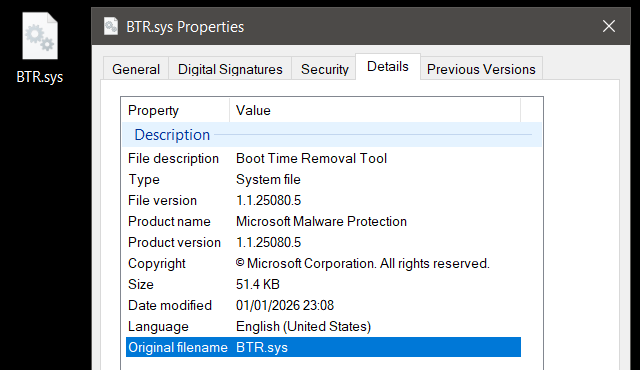
BTR Reforged: Turning a Signed Windows Defender Driver into a Kernel‑Level Attack Engine
Checkpoint Research has shown that Microsoft’s own BTR.sys – the Boot‑Time Removal driver used by Windows Defender – can be hijacked to perform arbitrary file and registry operations from Ring 0. By reverse‑engineering the driver’s encrypted transaction format and building a tool called BTR_CLI, researchers demonstrated a kernel‑mode operation primitive that bypasses EDR/AV without exploiting a vulnerability. The study exposes how trusted signed components can become powerful attack tools, urging defenders to scrutinize remediation drivers and implement stricter driver‑loading controls.
Read briefing
Detecting Orphaned VBA Projects Embedded Within AutoCAD DWG Files
Security analysts have identified a technique involving orphaned VBA macro projects embedded inside AutoCAD DWG files. This briefing outlines the underlying file structure mechanics, provides a YARA detection rule to identify anomalous artifacts, and details defensive remediation steps for SecOps teams.
Read briefing
Microsoft Office OneNote Remote Code Execution Vulnerability (CVE‑2026‑102858)
A heap‑based buffer overflow in Microsoft Office OneNote can be triggered by a crafted file or network request, enabling arbitrary code execution on the target system. All supported OneNote versions are affected. Defenders should apply the latest Office update and monitor for anomalous activity.
Read briefing
Chinese Espionage Group Deploys New SparroWocky Backdoor in Latin America
FamousSparrow, a China‑linked threat actor, has moved beyond its old SparrowDoor tool and rolled out the modular C++ backdoor SparroWocky against government entities across Latin America. The malware uses sophisticated anti‑analysis tricks—DLL side‑loading, RC4‑encoded payloads, dynamic API resolution, and CreateThread hooking—to evade detection. It can execute commands, exfiltrate data, capture high‑frequency screenshots, proxy traffic, and even wipe its own traces. ESET’s analysis pinpoints 18 C2 endpoints and shows the operation has been active for over a year, targeting Argentina, Ecuador,
Read briefing