
Vulnerabilities
Synology NAS Ransomware Exploits Patched DSM Vulnerabilities – Immediate Update Required
Synology reports ransomware attacks exploiting a December 2024 patch on outdated DSM versions. The attacks use the C3RB3R ransomware family to encrypt data. Defenders must upgrade DSM to the latest release and enforce strong authentication.
What happened
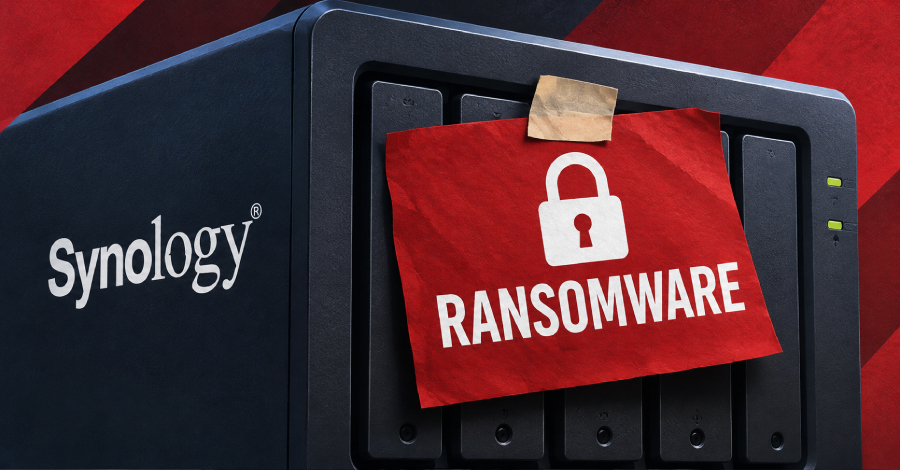
Synology has confirmed that threat actors are targeting its DiskStation Manager (DSM) platform by exploiting a vulnerability that was patched in December 2024. The attacks are being carried out against devices running older DSM releases that have not applied the latest security updates. The malware used in these incidents is the C3RB3R ransomware family, which encrypts files and appends a ".L0CK3D" extension before demanding payment.
The company observed a surge in incidents after the release of a November 2024 advisory that listed three high‑severity flaws – CVE‑2024‑10441, CVE‑2024‑50629, and CVE‑2024‑10445 – all of which could allow remote code execution or file read/write capabilities. Although Synology did not disclose the exact vector used in the current wave, the pattern matches the exploitation of the patched bugs.
Who is affected
Any organization or individual operating a Synology NAS device with a DSM version older than the following releases is at risk:
- DSM 7.2.2 – upgrade to 7.2.2‑72806‑1 or newer
- DSM 7.2.1 – upgrade to 7.2.1‑69057‑6 or newer
- DSM 7.2 – upgrade to 7.2‑64570‑4 or newer
- DSM 7.1 – upgrade to 7.1.1‑42962‑7 or newer
- DSM 6.2 – upgrade to 6.2.4‑25556‑8 or newer
Because many small‑to‑medium businesses and home users still run legacy firmware, the attack surface remains large. The ransomware has already been reported on several corporate networks, causing significant downtime and data loss.
Impact
Once the malware gains foothold, it scans the NAS for writable directories, encrypts every accessible file, and leaves a ransom note in the root of the volume. The encryption is irreversible without the decryption key, which is only provided by the attackers upon payment. In addition to data loss, the attacks can disrupt backup processes, expose sensitive information, and create a compliance risk for regulated industries.
Because NAS devices often serve as central repositories for backups, the impact can cascade to primary production systems if the encrypted backups are restored without proper verification. Several customers have reported that the ransomware also attempts to spread laterally by scanning for other vulnerable NAS devices on the same network.
Exposure
Synology’s advisory lists the vulnerabilities as improper encoding or escaping of output in system plugin daemon, webapi component, and update functionality. These weaknesses could allow attackers to execute arbitrary code or read/write files without authentication. The December 2024 patch addressed all three flaws, but the current attacks target devices that have not applied the fix.
Attackers are leveraging automated scanners that look for default administrative credentials and known DSM version strings. Once a device is identified, the malware pushes a payload that exploits the unpatched vulnerability to gain elevated privileges. The use of the C3RB3R ransomware indicates a shift toward more targeted, credential‑based attacks rather than broad brute‑force attempts.
What to do
Defenders should immediately verify the DSM version on every Synology device and apply the latest updates. The following actions are recommended:
- Run a firmware audit to identify devices running DSM 7.2.2‑<72806‑1, 7.2.1‑<69057‑6, 7.2‑<64570‑4, 7.1.1‑<42962‑7, or 6.2.4‑<25556‑8.
- Upgrade each device to the newest patch level listed in the advisory.
- Enforce strong, unique passwords for all administrative accounts and enable two‑factor authentication.
- Disable or restrict remote access services (e.g., SSH, Telnet) unless absolutely necessary.
- Implement network segmentation so that NAS devices are isolated from critical servers.
- Regularly back up NAS data to an offline or immutable storage medium and test restore procedures.
- Deploy endpoint detection and response (EDR) solutions that can monitor for unusual file‑encryption activity on the network.
What to watch
Keep an eye on the following indicators of compromise (IOCs) and emerging tactics:
- Unusual outbound connections from a NAS to external IPs on high‑port ranges.
- Unexpected creation of files with the ".L0CK3D" extension.
- New user accounts or changes to existing administrative accounts on the NAS.
- Repeated failed login attempts followed by a sudden spike in successful logins.
- Discrepancies between backup timestamps and the last modification times of critical files.
Security teams should also monitor threat‑intel feeds for new variants of the C3RB3R ransomware and for any disclosed exploitation code targeting DSM. Maintaining an up‑to‑date inventory of all NAS devices and ensuring that firmware is patched will reduce the attack surface and mitigate the risk of future ransomware incidents.
Related vulnerabilities
Windows ReFS Elevation of Privilege Vulnerability (CVE-2026-50441) – Immediate Patch Required
A local privilege escalation flaw in Windows ReFS allows attackers with local access to gain SYSTEM rights via a crafted volume. Microsoft has issued a cumulative update; all affected systems must be patched immediately.
Read briefing
Microsoft Exchange Improper Authorization Privilege Escalation (CVE‑2026‑62911) – Immediate Patch Required
A remote privilege‑escalation flaw in Microsoft Exchange Server (CVE‑2026‑62911) allows authenticated attackers to bypass authorization and gain SYSTEM rights. The vulnerability is CVSS 8.8 and is already patched by Microsoft. Defenders must apply the update, verify session handling, and monitor for suspicious elevation attempts.
Read briefing
Microsoft Office Visio Remote Code Execution Vulnerability (CVE-2026-102855) – Immediate Patch Required
A heap-based buffer overflow in Microsoft Office Visio allows remote code execution over a network. The flaw can be triggered by a crafted Visio file, enabling attackers to run arbitrary code on affected systems. Apply the latest security update immediately and verify that all Visio installations are patched.
Read briefing
GitLab Self‑Managed Installations: Immediate Upgrade to 18.8.4/18.7.4/18.6.6 Required
GitLab released critical patch releases 18.8.4, 18.7.4, and 18.6.6 on Feb 10 2026, addressing high‑severity vulnerabilities including an incomplete validation flaw in Web IDE and a denial‑of‑service issue. All self‑managed CE and EE deployments must update immediately; GitLab.com and Dedicated customers are already patched.
Read briefing